NutriBot’s delivery system serves catering companies that make between 30 and 2,500 deliveries a day with fleets of a few to several dozen vehicles. It is used by companies in New Zealand, Hong Kong, the United Arab Emirates, Europe and the United States, with in-house delivery, a third-party carrier or a mix of both. I am a co-founder of NutriBot. I led sales and customer success there, and my nine-person team gathered customer requirements, sold the delivery module and implemented it. I also took part in designing and testing the system, and I designed some of the screens myself.
Meal-prep catering is not road haulage. The mechanics of delivery, however, are the same: a dispatcher splits the load between vehicles, a driver sets off with a list of addresses and time windows, and the company needs proof that the delivery arrived. This article describes how such a delivery system, in practice a TMS for last-mile deliveries, grew in stages, what did not work in the first implementations, and what this means for a transport company with a fleet of 20 to 200 vehicles.
Starting point: paper, spreadsheets and file imports
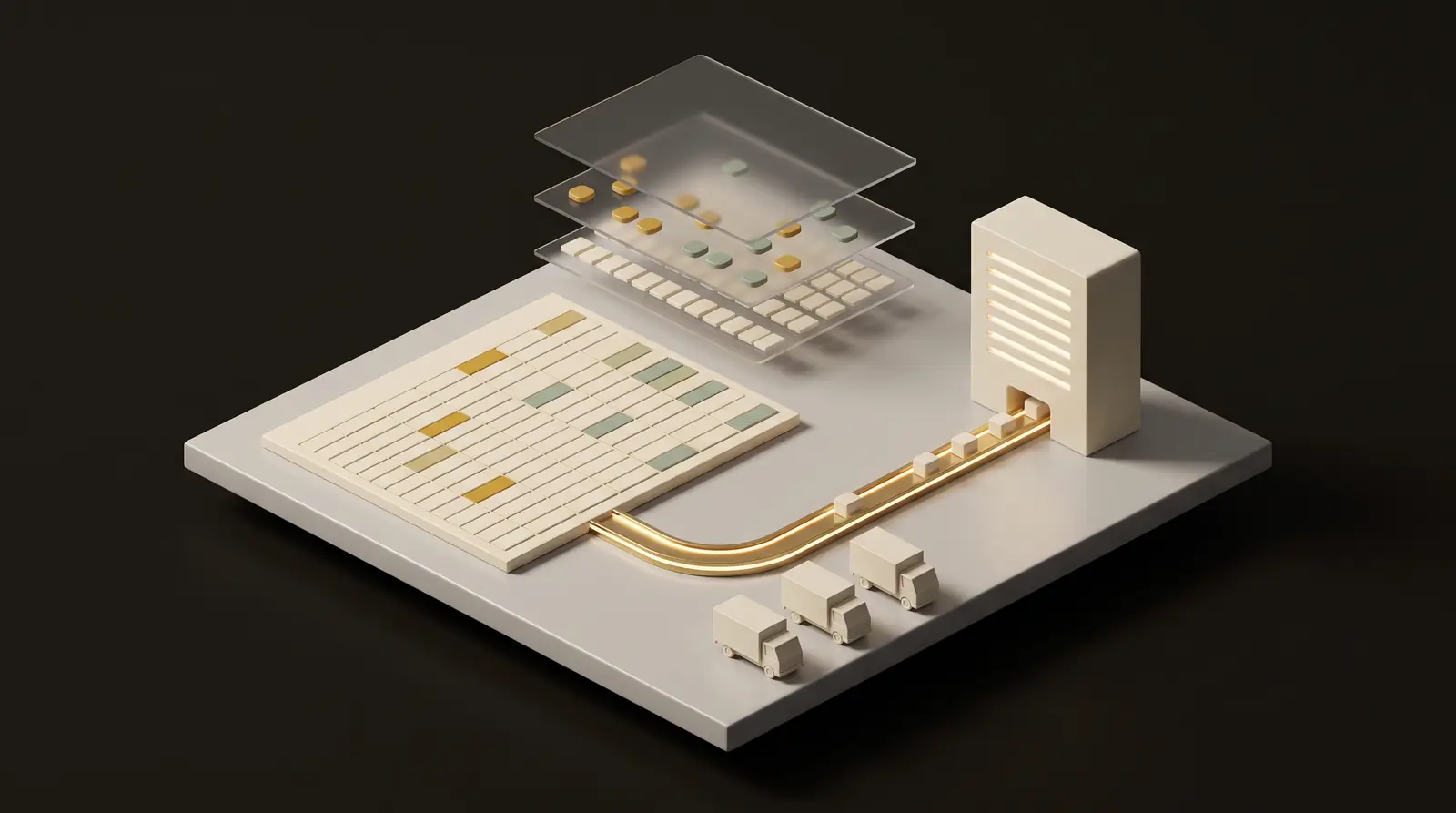
Before the module existed, NutriBot’s customers planned deliveries in three ways. Some worked on paper, some in Excel, and some in third-party courier apps, into which a file with the address list had to be uploaded before every delivery day.
The weakness shared by all three showed once the driver came back. The results of deliveries were visible neither in the production system nor in the online shop, which is where the order originated. Information about which delivery had arrived and which had not stayed in another program or on the dispatcher’s phone.
If your company keeps orders in one program and invoices in another, with a spreadsheet updated by hand in between, the mechanism is the same. We described ways out of that setup in Fleet management in Excel: how to move off it.
First the list, then proof of delivery
The first version of the module was a simple app with a delivery list for the driver. The next one added statuses and photos. New features arrived from the simplest to the more complex, at the pace at which customers started to use them.
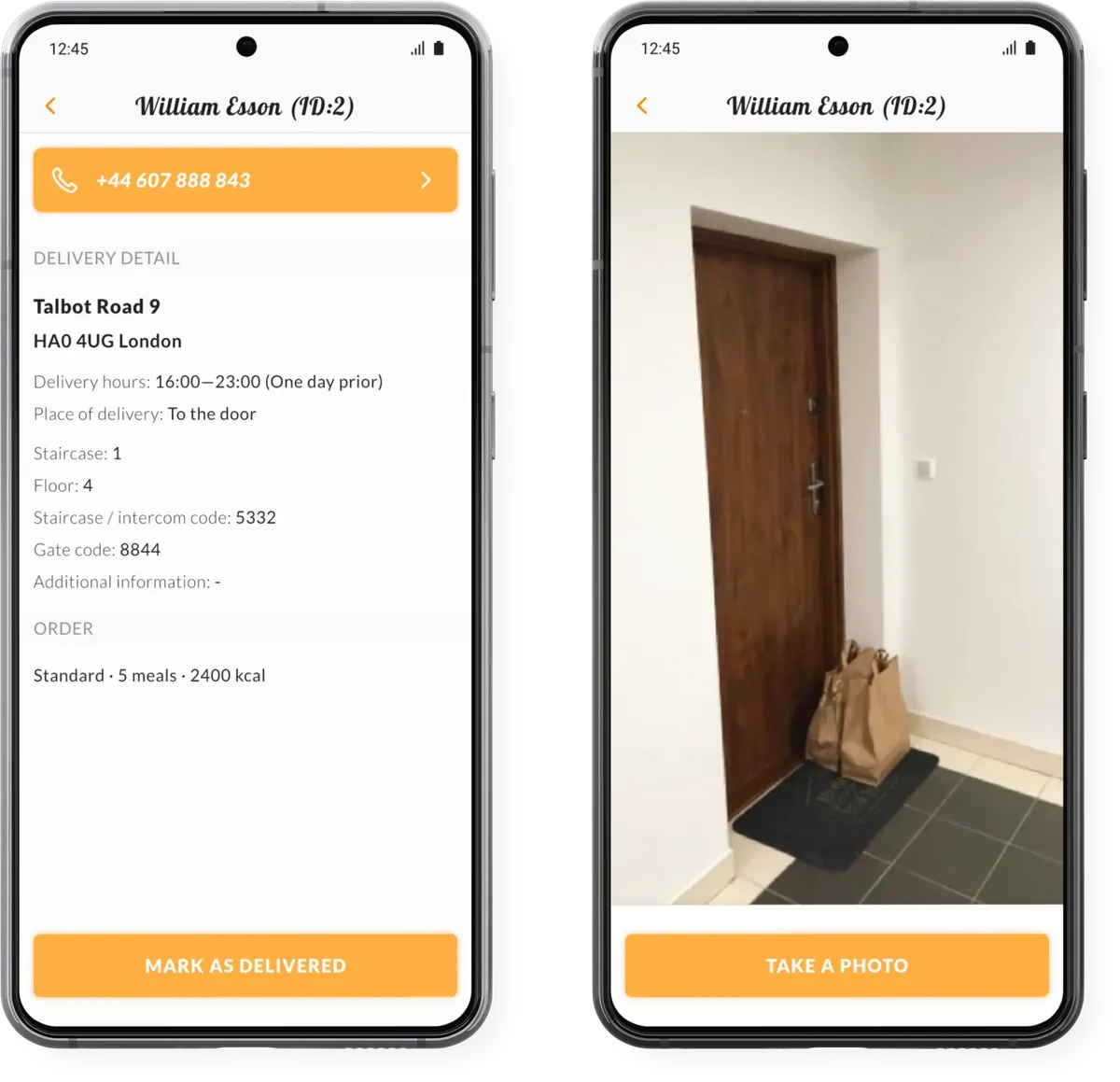
After logging in, the driver sees the list of parcels assigned to them for the day and can switch to a map on which every address has a pin. Next to each address is the distance, and a single tap opens an external navigation app. The delivery details cover what a driver looks for outside the building: staircase, floor, intercom and gate codes, delivery hours and place, a note from the customer, a phone number dialled with one tap and the amount to collect if the customer pays in cash.
After the delivery, the driver changes the status and takes a photo of the bag at the door. The app records the time and GPS location in the system, and the customer gets a notification that the order is waiting at the door. The dispatcher sees on the map where the drivers are and which deliveries are complete. In the event of a complaint, they have the photo, the time and the place of delivery.
Delivery starts before the route. Ready meals go into bags according to a packing report, the bag label carries a code instead of full dish names, and packing is confirmed by scanning a QR code. This way the system knows which bags are already packed.
This part was where it became clear fastest what drivers expect. They wanted the simplest possible app and did not use advanced features. In practice, the completeness of route data depends on whether the driver uses the app at every delivery.
Route planning: an algorithm bought, not built
The third stage was route planning. In a recording from April 2024 I presented it as a new feature.
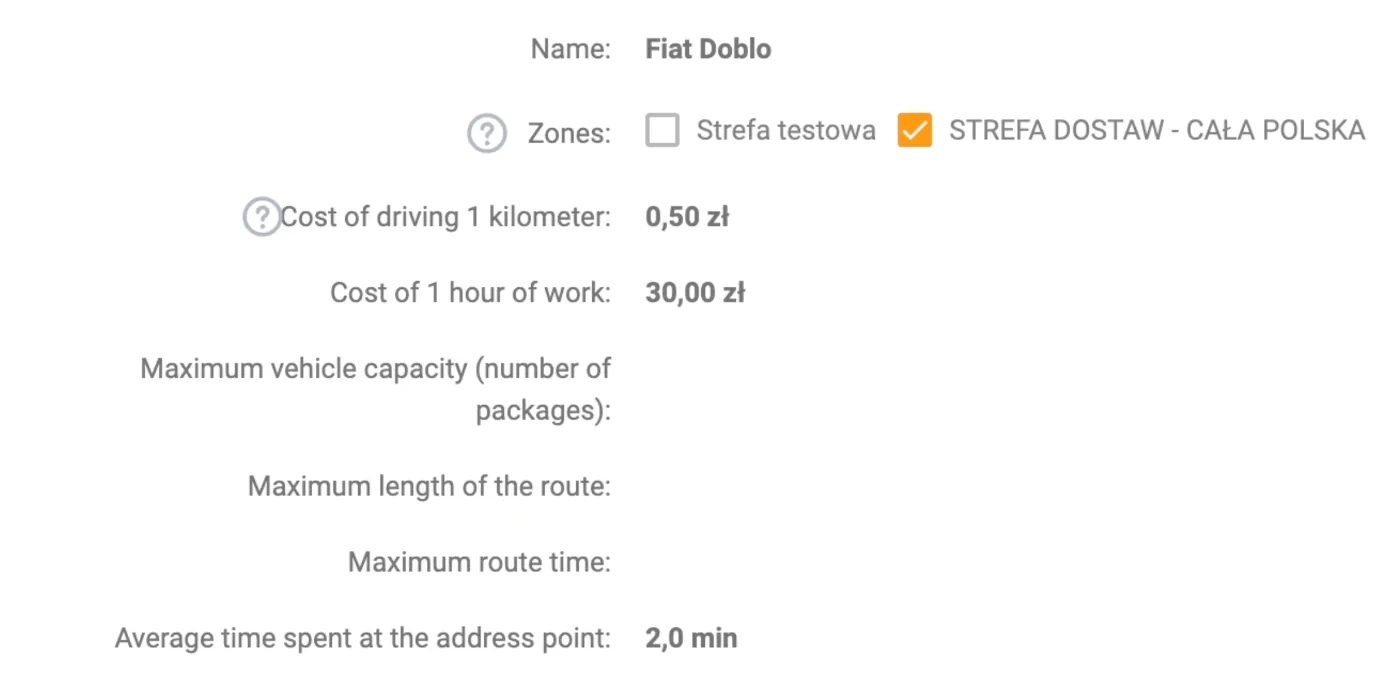
The first decision was what to attach the route parameters to. In NutriBot the object in the system is the vehicle, and vehicles are named after their models, for example Fiat Doblo or Citroen Berlingo. The reason is practical: a company has, say, five vehicles, while drivers change often because it is a high-turnover job. Attaching the parameters to the vehicle means that a change of driver requires no change in configuration.
Each vehicle has in the system a cost per kilometre, a cost per working hour, a maximum route time, a maximum capacity, an average time per stop, a zone, and a route start and end point. The start point can be the fleet base, the kitchen or another place, for example the driver’s home.
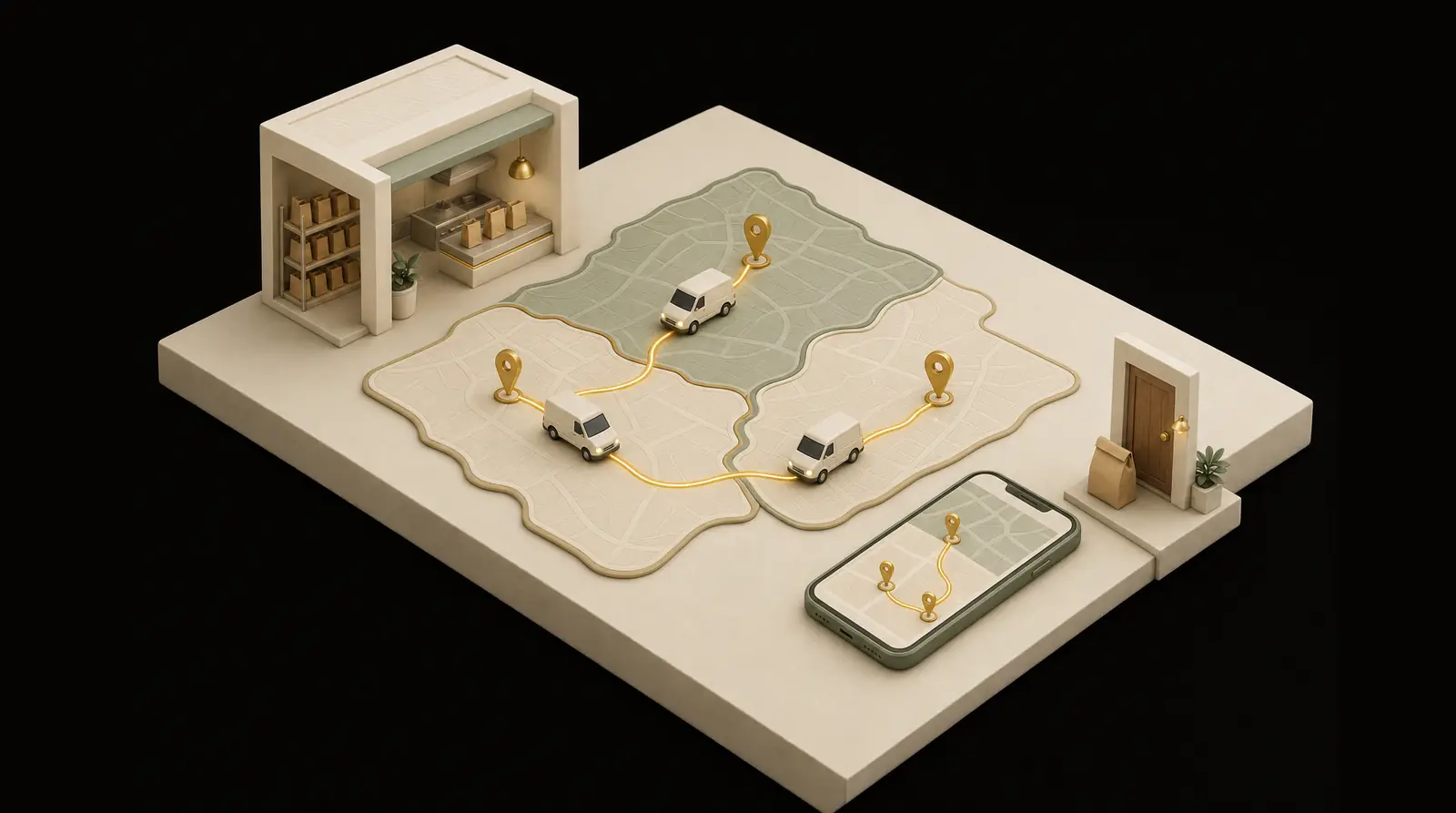
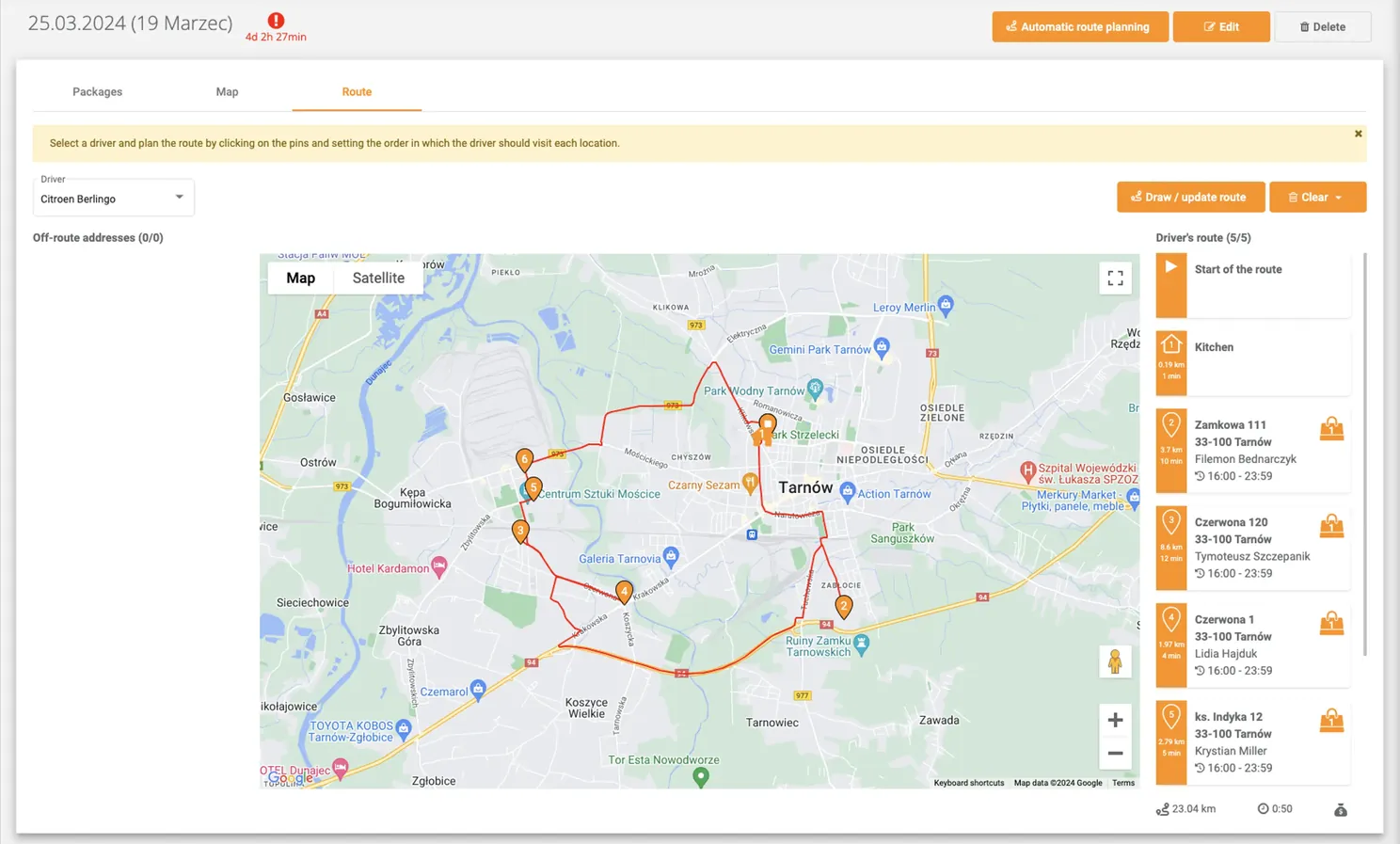
The dispatcher can set the order of addresses manually by clicking pins on the map, and the system calculates the kilometres, time and cost of the route. The other way is automatic planning: the address list goes to Google’s algorithm, which returns a ready route for each vehicle. The algorithm takes into account the driver’s maximum working time, the cost per working hour and per kilometre set separately for each vehicle, departure and return times, addresses and zones. In my experience it handles routes of up to 100 stops.
The cost of API calls is considerable. The team accepted it because Google’s algorithm handles routes with many constraints at once well.
Once a route has been calculated, the dispatcher usually makes small corrections. They can reassign parcels between vehicles on the list, by dragging an address to another vehicle’s column, or on the map, where unassigned parcels are grey and each vehicle has its own colour.
Yesterday’s route as a template
Meal-prep catering is sold as a subscription, so the list of addresses changes little from one day to the next. A new day therefore does not require planning from scratch. The dispatcher creates the route from the previous one and adds a few new addresses by hand to the existing routes.
Such a change does not require an API call, so it incurs no algorithm cost. The route template saves both the dispatcher’s time and the cost of the Google service. If your fleet runs fixed distribution routes, the same mechanism applies in transport.
What did not work: local details
In the first implementations in new markets, the problems were details missing at the start. Each market had its own:
| Market | What was missing at the start |
|---|---|
| Poland | delivery zones by postcode |
| Qatar | support for addresses without a city |
| Kuwait | amounts with three decimal places |
| United Arab Emirates | deliveries every other day and handling of cooler bags and ice packs |
| United States | subscriptions and irregular rescheduling of deliveries |
Cooler bags show how one gap leads to the next. First, there was no way to take a deposit for the bag and ice packs. Once it was added, it turned out that managing the circulation of bags and ice packs was missing, meaning information on how many are with customers and how many have come back.
The answer was further layers of the system: transferring parcels from one vehicle to another, driver and delivery zones drawn on the map, later zones by postcode, and support for address formats from different parts of the world.
What the module lacked
When I was responsible for sales and implementations, the module lacked several features: detailed reports on deposits and on the circulation of bags and cooler packs, chat between the driver and the customer, and a live view of where the driver is as they approach the customer, as known from the Uber app.
This system was built for deliveries to the customer’s door and does not handle transport documents or driver working time under transport regulations. A transport company needs both, so the conclusions of this article concern the mechanics of delivery, not an entire TMS.
What this means for a company with 20–200 vehicles
The table below is my interpretation: I translate mechanisms from catering into transport. The right-hand column contains questions you can ask any system vendor, including us. A fuller list of questions for a fleet system vendor, each with its justification, is in Fleet management system: what it must have.
| At NutriBot | Equivalent in transport | Question before choosing a system |
|---|---|---|
| The object in the system is the vehicle | a stable fleet with driver turnover | Are costs and constraints attached to the vehicle or to the person? |
| Zones drawn on the map and by postcode | service areas and order allocation | Can you change the zones yourself, without the vendor? |
| Addresses and amounts in the formats of different countries | international transport | Will the system accept an address and an amount in the format of the country you drive to? |
| Deposit and circulation of cooler bags | circulation of pallets and returnable packaging | Does the system know how many pallets each customer holds? |
| Photo, time and GPS at delivery | proof of delivery | Is the confirmation recorded automatically, or does someone copy it from a phone? |
| Yesterday’s route as a template | fixed distribution routes | Does a recurring route have to be planned from scratch every day? |
| The simplest possible driver app | drivers reluctant to adopt another app | How many screens does a driver go through to close a delivery? |
If I were building such a system today, I would keep the same order: from the simplest features to the more complex, at the pace at which the team starts using the system. I would probably add automatic route planning earlier. Today I would also add AI and route optimisation for fuel consumption and CO2 emissions.
If you are deciding whether to buy such a system off the shelf or have one built around your processes, see how we approach custom systems for logistics companies. We have already built a driver app as a slice of the dispatcher panel for the Tidly platform: see the case study.
Source materials
The description of features in this article comes from NutriBot’s public materials, and the history of the module from my work on its sales and implementations.
- NutriBot delivery back office
- NutriBot driver app
- Recording: route planning in NutriBot, April 2024
- Recording: logistics and delivery in NutriBot, January 2025
- My article on route planning on the NutriBot blog
Find out where to start a delivery system in your company
A free digital audit shows which delivery steps run today on paper, in a spreadsheet and on the dispatcher's phone, and which of them to start with.
Book a free audit →