Solution
Six things a driver does from the phone
Designing this view, we started from what a driver actually does, rather than from what the panel is able to display. Six areas were left. Each one is below, together with screens from the working app.
Morning: a working day instead of a paper note
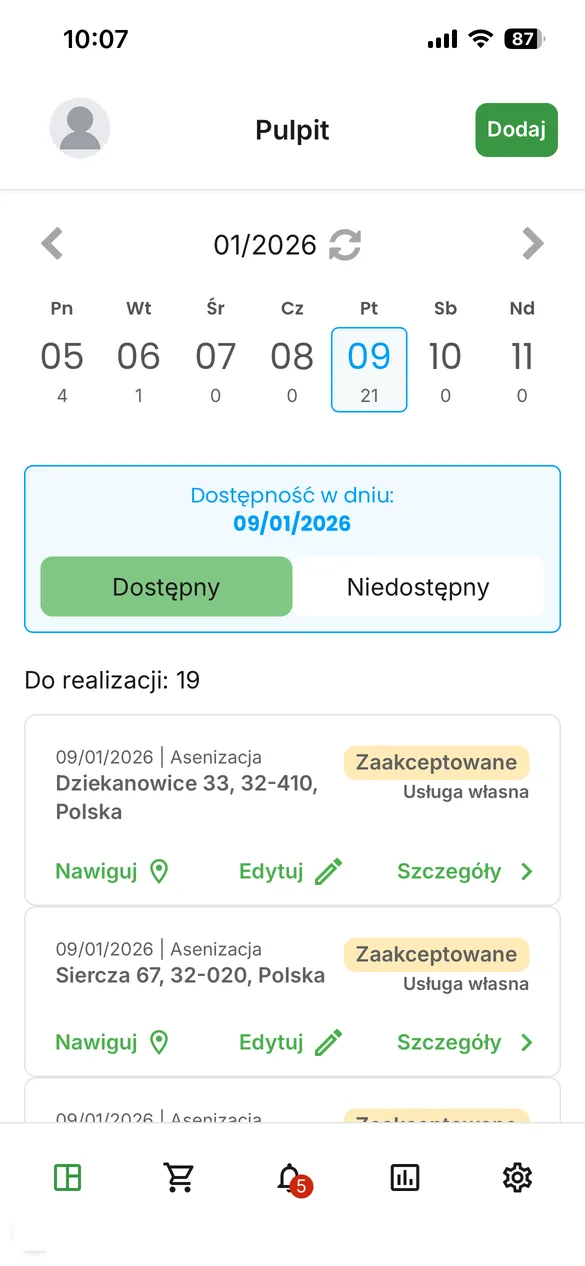
The first screen after logging in is a dashboard with a monthly calendar showing the number of jobs on each day. Below the calendar the driver sets his availability for the day, which the dispatcher panel uses when distributing work. Further down runs the job list with address, status and order source, and every row carries three actions available without opening the job: navigate, edit and view.
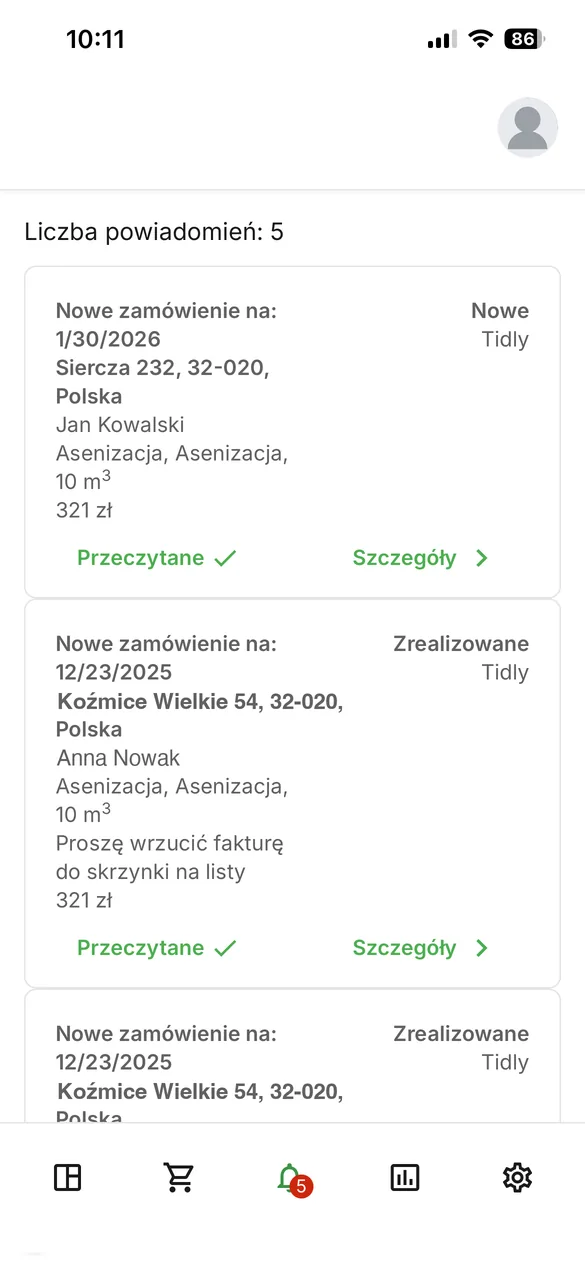
Changes during the day no longer require a phone call. When the dispatcher adds a job, the driver gets a notification and the row appears on the list. The job can land close to another order in the same area, because the panel takes into account completion status, availability and the daily run limit of a given truck. We described the zoning mechanics in the dispatcher panel case study.
The daily dashboard: a calendar with job counts, an availability switch and a list carrying navigate, edit and view actions.
Notifications replace the call from the dispatcher. Every new job has an entry here, with address and amount.
A job seen from the inside
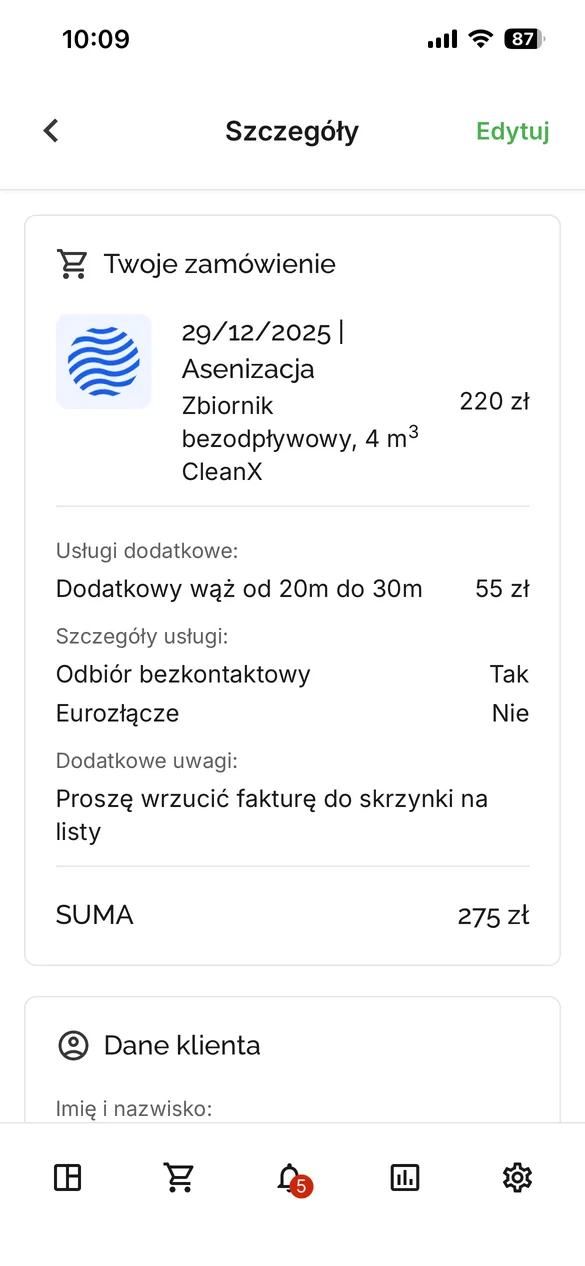
The detail view gathers everything the driver needs to know before entering the property. At the top the ordered service with tank capacity and any extras, for instance a surcharge for a longer hose. Then whether the pickup is contactless and whether the property has a quick coupling, the notes written by the customer and finally the total to settle.
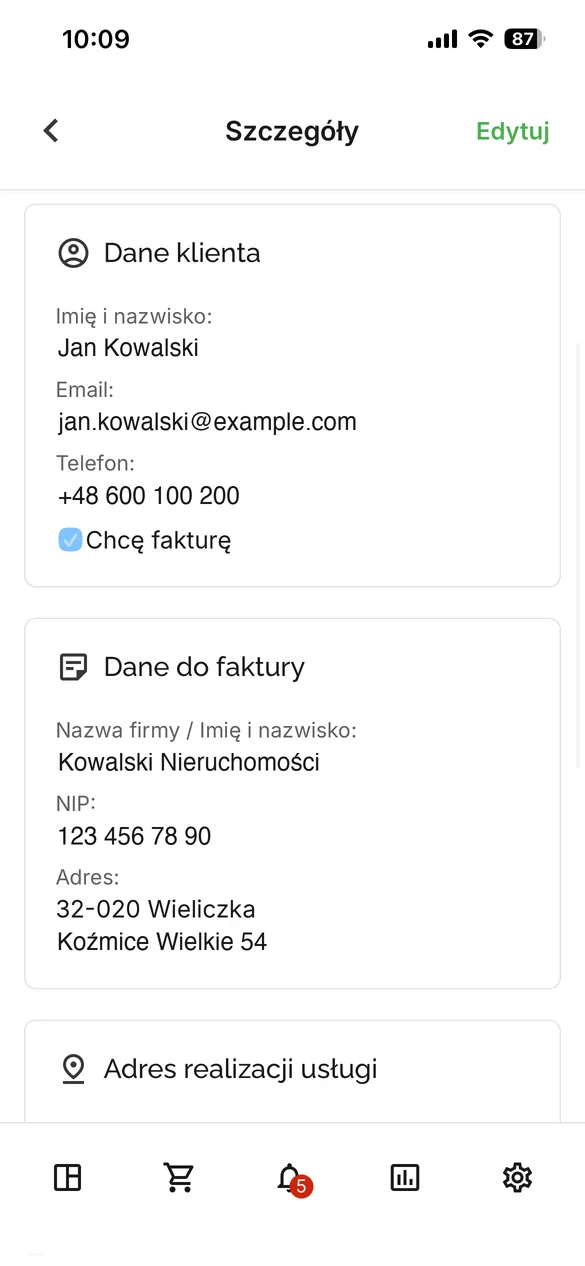
The section below holds customer details with a phone number that dials or texts in a single tap, plus the billing data. None of it has to travel through the office any more, because it rides along with the job.
The ordered service with surcharges, quick coupling information, customer notes and the total to settle.
Contact and billing details. Calling and texting work in one tap, with no number to copy out.
Navigation to the gate, including for a driver from abroad
This element looks trivial until you look at who actually drives these trucks. Waste collection work is not pleasant, so applicants are scarce and it is easier and cheaper for companies to hire drivers from abroad. Two barriers show up at once: knowledge of local geography and communication, because reaching such a driver means a phone call and an effort to be understood.
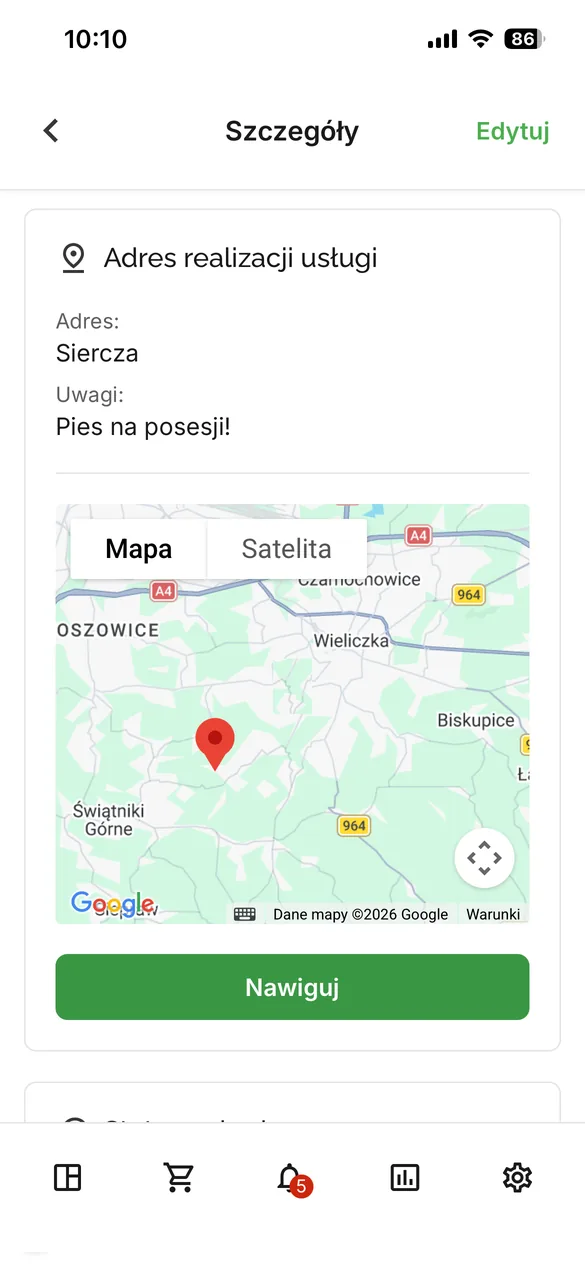
In the app every job address carries a map and a button that launches navigation, exactly as in ride hailing apps. Approach notes sit above the map, so information about a dog on the property or an entrance from the back of the plot arrives before the truck does, not after. In counties like Wieliczka, where house numbers follow no obvious order, that is the difference between a run and a search party.
Approach notes above the map and navigation behind one button. The driver does not have to call and ask for directions.
Cash that adds up in the evening
Cash handling in this trade looks the same as it did thirty years ago. Drivers collect money from customers, give change and carry the takings back to the office. With five, ten or fifteen trucks somebody eventually makes a mistake, and in the evening the till comes up short with no way to trace it to a particular run.
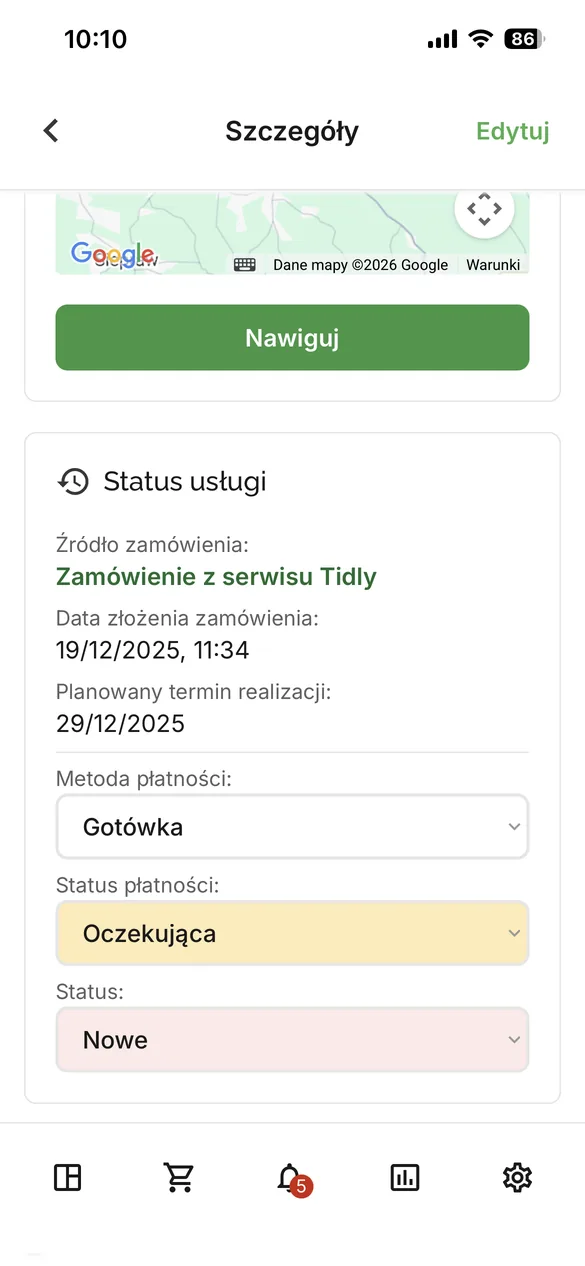
In the app a single job carries a payment method, a payment status and a completion status, and the driver changes all three from the phone. With online payment the status arrives on its own. With cash the driver logs the amount he collected against the job, so in the evening he should hand over exactly what the system shows. The flow of money stops being a matter of trust and memory, because every unit of currency has its own row.
Payment method, payment status and completion status. The driver changes all three without contacting the office.
A job taken from the cab
Letting drivers create jobs looks like a breach in the division of roles, until you count how these companies really look. Not every one of them has a dispatch desk. Tidly also serves one, two and three person operations, where the customer rings the driver directly because he kept the number from the last pickup.
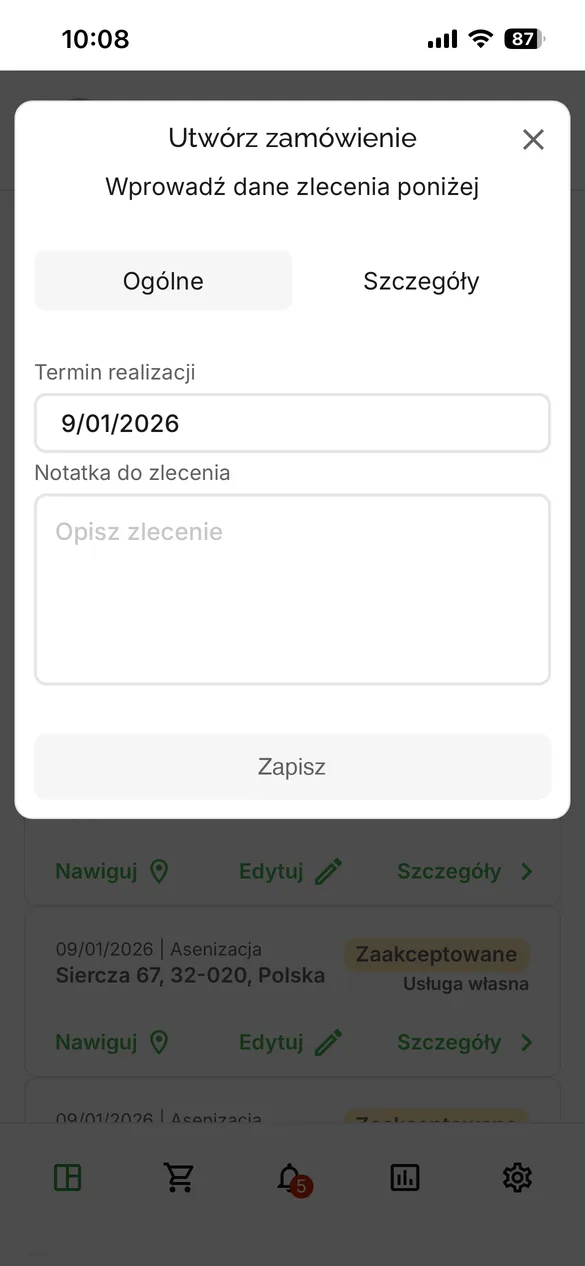
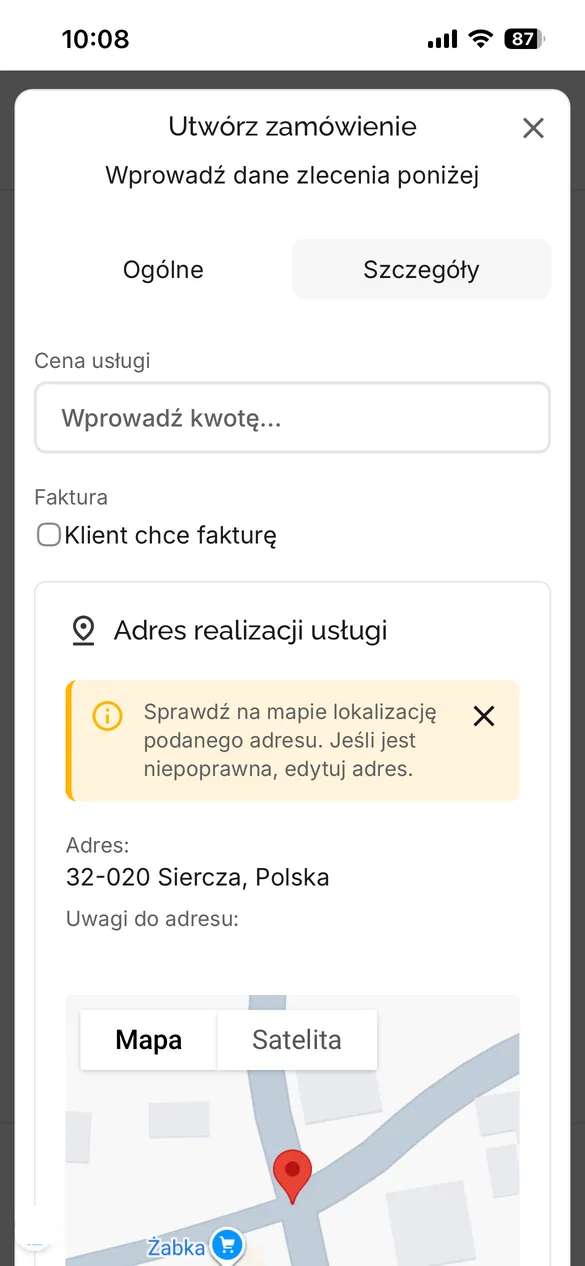
Without a system such a job lands in a notebook and has to be retyped into a computer in the evening. In the app it takes three taps and a minimum of data, a date and a note, because the screen was designed to be operated in the cab. Price, the invoice flag and the address with map verification wait in the second tab and can be filled in later, at a computer or during a stop between runs.
Step one is the minimum that can be typed in a cab: a date and a note.
Step two gets completed later: price, invoice and an address checked on the map.
A correction in the field and a personal archive
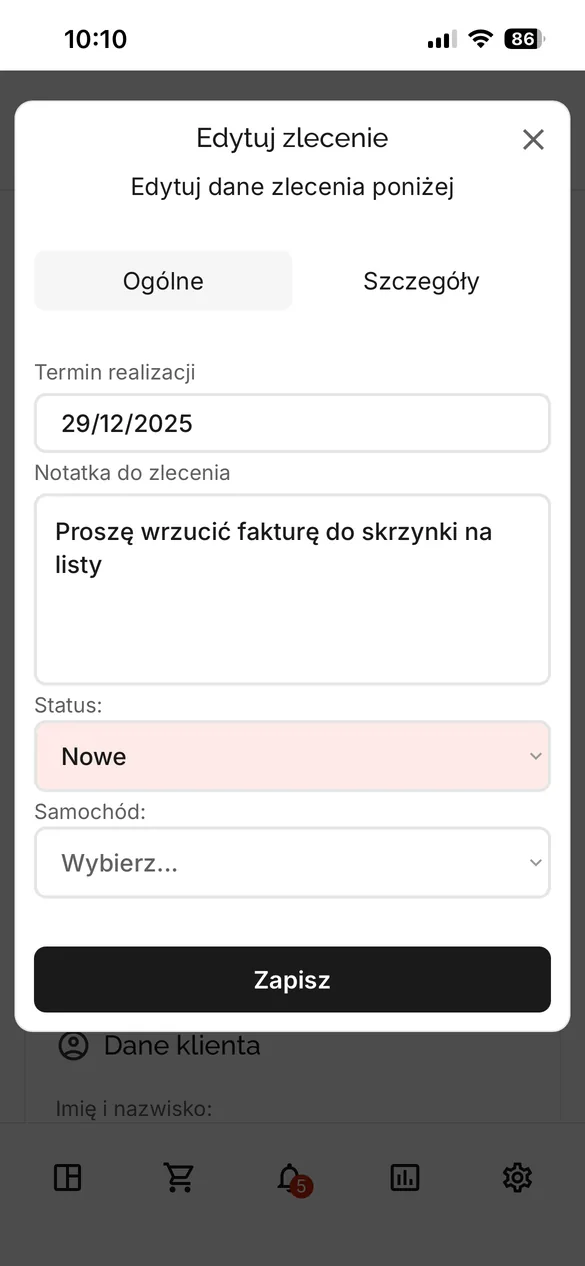
A job keeps changing after it is accepted, so the driver can edit it. The customer calls to say there is a dog on the property or that the entrance runs from the field side, and the driver adds that as a note, changes the date or the status. The same change is immediately visible in the office panel, because both apps work on one set of data.
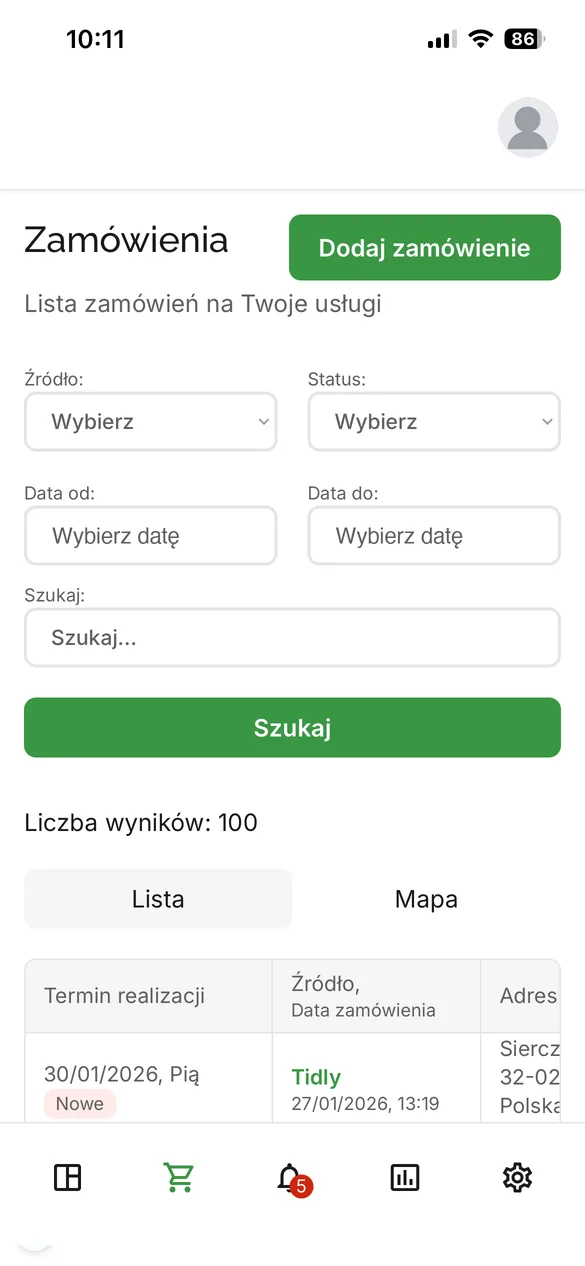
The last screen is a history of the driver’s own jobs with a search box and filters by source, status and date range, plus a switch between list and map. The driver can check when he last visited a given address instead of calling the office to ask.
Editing a job from the field. A note about a dog or an approach stays in the system, not in the driver’s head.
A history of the driver’s own jobs with filters and a map view, available without asking the office.